Blog & Insights

Expert perspectives on web development, mobile apps, SaaS, and business technology from the Wealth Profusion team

Digital Transformation in 2026: What It Actually Means for Small and Mid-Size Businesses

Digital Transformation in 2026: What It Actually Means for Small and Mid-Size Businesses

"Digital transformation" has become one of the most overused phrases in business. Here is what it actually means, what it does not mean, and how SMBs should think about it practically.

Every technology consultant, software vendor, and conference speaker has been talking about digital transformation for the past decade. The term has been applied to everything from moving spreadsheets to Google Sheets to complete reinventions of business models. For small and mid-size businesses trying to figure out where to invest, the noise is overwhelming.

What It Actually Means

At its core, digital transformation is the process of replacing manual, paper-based, or disconnected processes with integrated digital systems that give you better data, faster operations, and more consistent outcomes. For an SMB, this might mean replacing a paper job scheduling board with a digital field service management platform, or connecting your CRM to your accounting software so you stop re-entering the same data twice.

Start With the Constraint, Not the Technology

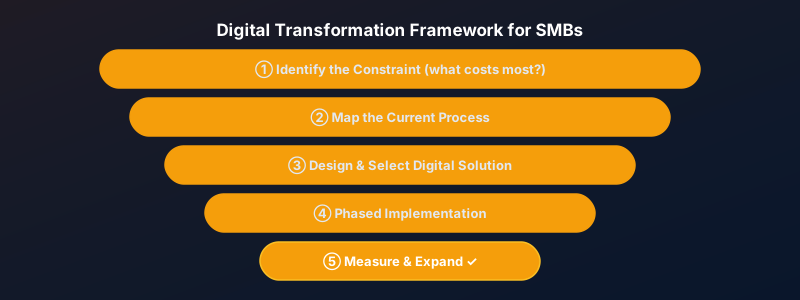
The most common mistake in digital transformation is starting with a technology ("we need to get on the cloud") rather than a business problem ("our invoicing process takes 4 days and we frequently lose track of which clients have paid"). Always start with the constraint. Identify the process that is causing you the most pain, the most cost, or the most risk — and fix that first.

Log in to rate this article

AI Readiness Audit: Is Your Business Actually Prepared to Adopt AI Tools?

AI Readiness Audit: Is Your Business Actually Prepared to Adopt AI Tools?

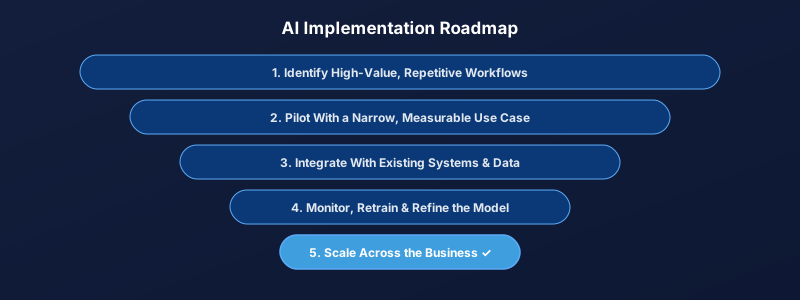
Most companies are eager to "do something with AI" before they have the data, processes, or infrastructure in place to use it well. Here is the readiness audit we walk clients through before recommending any AI investment.

The pressure to adopt AI is real, and so is the risk of doing it badly. We have seen companies spend significant budget on AI tools and consulting only to get marginal results — not because the technology failed, but because the groundwork was never in place. An honest readiness audit before any investment saves far more money than it costs.

Data Quality Comes Before Anything Else

AI tools are only as good as the data they learn from or operate on. If customer records are scattered across three disconnected systems, if historical data is inconsistent or missing large gaps, or if nobody can say with confidence which version of a spreadsheet is current, no AI tool will produce reliable results on top of that foundation. The first and most valuable step in any AI readiness audit is almost always a data quality and consolidation effort — unglamorous, but essential.

Process Clarity Matters as Much as Data

AI automates and augments existing processes; it does not invent good ones. If a workflow is unclear, inconsistent between employees, or undocumented, automating it with AI mainly succeeds in automating the inconsistency. We typically map the current process in detail as part of our Business Solutions engagements before recommending any AI tooling on top of it.

The Infrastructure Question

Where will this AI capability actually live — a third-party SaaS tool, a custom model integrated into your existing software, or a cloud AI service? This decision affects cost, data privacy, vendor lock-in, and how easily the capability can scale. It is worth deciding deliberately rather than defaulting to whichever vendor made the most compelling sales pitch.

A Practical Readiness Checklist

Before any AI investment, we ask clients to honestly assess: Is the relevant data centralized and reasonably clean? Is the process being automated well-understood and documented? Is there a clear, measurable definition of success? Is there a team member responsible for monitoring results after launch? Companies that can answer yes to all four are in a strong position to get real value from AI. Companies that cannot are better served starting with the groundwork — which is usually a faster path to results than jumping straight to AI tooling. If you are unsure where your business stands, our Business Solutions consulting engagements include this exact assessment.
Log in to rate this article

Building Offline-First Mobile Apps: Architecture and Implementation Guide

Building Offline-First Mobile Apps: Architecture and Implementation Guide

Offline capability transforms a mobile app from a convenience into a tool users can rely on anywhere. Here is how to architect and implement offline-first functionality the right way.

Users expect apps to work even when connectivity is poor or absent. Whether you are building a field service app used in basements and remote locations, a note-taking tool, or a delivery driver application, offline functionality is often the difference between a tool people trust and one they abandon when it fails them at the worst moment.

Local-First Data Storage

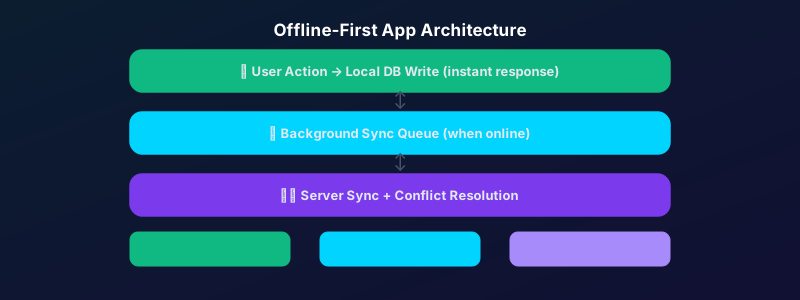
An offline-first architecture stores all data locally first, then syncs to the server when connectivity is available. On iOS, this means Core Data or SQLite. On Android, Room (built on SQLite). For React Native and Flutter apps, solutions like WatermelonDB or Drift provide cross-platform offline storage with excellent performance.

Conflict Resolution Is the Hard Part

The engineering challenge of offline-first is not the local storage — it is handling conflicts when data modified offline needs to be reconciled with changes made on the server while the device was disconnected. Strategies include last-write-wins (simple but lossy), merge strategies (complex but lossless), and event sourcing (most robust, highest complexity). Choose based on how critical data integrity is for your use case.

Log in to rate this article

Subscription Billing Models: Choosing the Right Pricing Strategy for Your SaaS

Subscription Billing Models: Choosing the Right Pricing Strategy for Your SaaS

How you price your SaaS is as important as what it does. The right billing model directly affects your MRR growth rate, churn, and the type of customers you attract.

Pricing is product. The billing model you choose shapes the relationship you have with your customers, the incentives they have to expand usage, and the revenue predictability of your business. Getting it wrong is costly — switching billing models after launch disrupts your existing customer base and requires significant engineering work.

Per-Seat Pricing

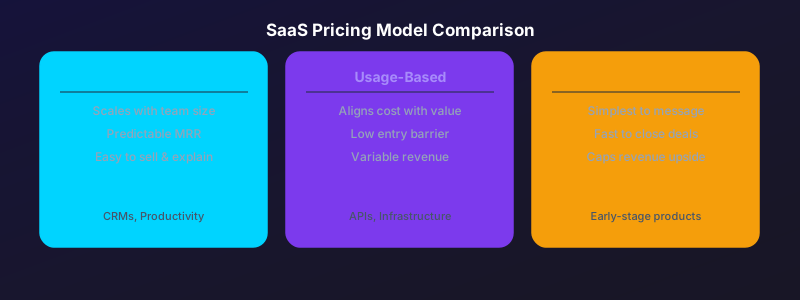
Charging per user is simple, predictable, and easy to sell. It scales naturally with the value delivered as companies grow and add more team members. The downside: customers are incentivized to minimize seats, and usage caps can cause frustration. Best for: collaboration tools, CRMs, project management software.

Usage-Based Pricing

Charging based on consumption — API calls, records processed, emails sent — aligns cost perfectly with value. Customers love it because they only pay for what they use. The downside: revenue is less predictable and customers may optimize usage in ways that reduce your revenue. Best for: API products, infrastructure tools, communication platforms.

Flat-Rate Subscription

A single monthly price for access to the full product is the simplest model to communicate and sell. The downside: you leave money on the table from power users who would happily pay more. Best for: early-stage products trying to acquire customers quickly, or tools with a very homogeneous user base.

Log in to rate this article

Core Web Vitals in 2025: The Complete Guide to Passing Google's Performance Tests

Core Web Vitals in 2025: The Complete Guide to Passing Google's Performance Tests

Google's Core Web Vitals directly affect your search rankings. This guide covers exactly what LCP, CLS, and INP mean, why they matter, and the specific optimizations that move the needle most.

Since Google began using Core Web Vitals as a ranking signal, page experience has become a competitive factor in search results. Sites that score green on all three metrics consistently outrank comparable sites that do not — all else being equal. Here is what you need to know.

LCP: Largest Contentful Paint

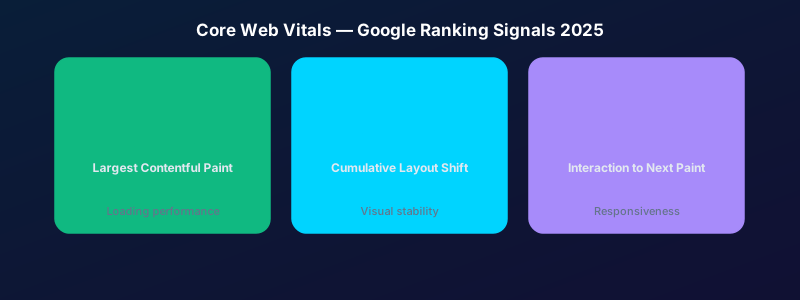
LCP measures how long it takes for the largest visible element on the page to load. Target: under 2.5 seconds. The most common culprits are large unoptimized hero images, render-blocking JavaScript, and slow server response times. Fix: serve images in WebP format, preload the LCP image, and use a CDN.

CLS: Cumulative Layout Shift

CLS measures how much the page layout jumps around while loading — the frustrating experience of clicking a button that moves just as your finger hits it. Target: under 0.1. Fix: always specify width and height attributes on images and video elements, and avoid inserting content above existing content after load.

INP: Interaction to Next Paint

INP replaced FID in 2024 and measures the responsiveness of the page to user interactions. Target: under 200ms. Heavy JavaScript, long tasks on the main thread, and unoptimized event handlers are the main causes of poor INP scores.

Log in to rate this article

Showing posts 6–10 of 18