Blog & Insights

Expert perspectives on web development, mobile apps, SaaS, and business technology from the Wealth Profusion team

Cloud Migration Mistakes That Cost Companies Millions (And How to Avoid Them)

Cloud Migration Mistakes That Cost Companies Millions (And How to Avoid Them)

Cloud migration promises lower costs and greater flexibility — but poorly planned migrations regularly deliver the opposite. Here are the most expensive mistakes companies make and how to avoid every one of them.

Cloud migration is one of those initiatives that sounds straightforward until you are in the middle of it. Organizations that rush into migration without proper planning routinely end up with cloud bills higher than their on-premise costs, applications that perform worse than before, and security configurations that introduce new vulnerabilities. Here is what separates successful migrations from expensive disasters.

Mistake 1: Lift-and-Shift Without Optimization

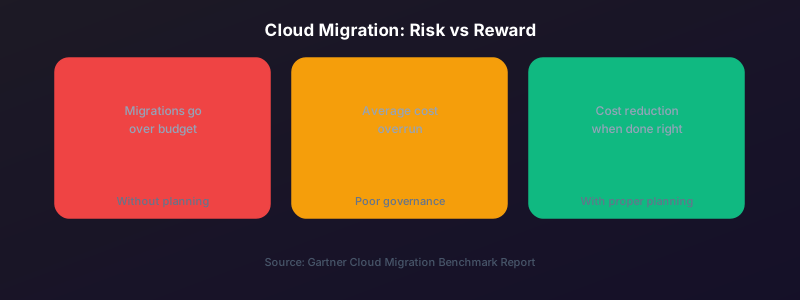
Moving your existing on-premise workloads to the cloud without any re-architecture — a "lift and shift" approach — is the fastest migration method but often the most expensive to operate. Applications designed for on-premise infrastructure frequently make inefficient use of cloud resources. Before migrating, identify which workloads can be modernized during the migration rather than after.

Mistake 2: No Cost Governance From Day One

Cloud costs are elastic — they can grow without bound if not actively managed. Organizations that migrate without setting up budgets, cost alerts, and resource tagging from day one often discover unexpected five or six-figure monthly bills. Implement cloud cost management tooling before your first production workload goes live.
Log in to rate this article

Push Notifications Done Right: How to Engage Without Annoying

Push Notifications Done Right: How to Engage Without Annoying

Push notifications are one of the most powerful tools in a mobile app — and one of the most frequently abused. Here is how to use them to drive engagement rather than uninstalls.

The average smartphone user receives 46 push notifications per day. Most of them are ignored. Many cause uninstalls. But when push notifications are done correctly — timed well, relevant, and personalized — they are the single most effective re-engagement tool available to a mobile app.

The Permission Moment Is Everything

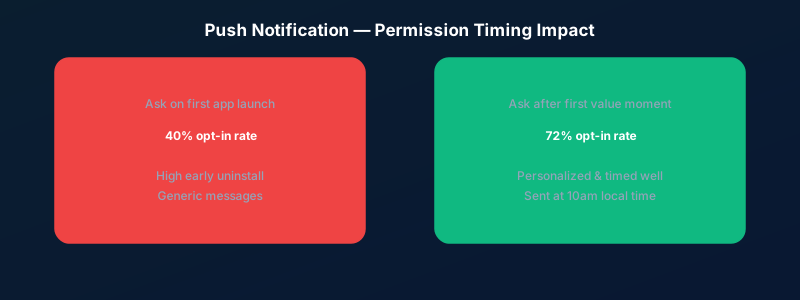
iOS requires explicit permission for push notifications. Most apps ask for this permission immediately on launch, before the user has experienced any value. This is the worst possible time to ask. The opt-in rate for notification permission requests made on first launch is around 40%. For apps that wait until the user has completed a meaningful action before asking, it is over 70%.

Segment, Personalize, Time

Generic broadcast notifications ("Check out our new features!") perform an order of magnitude worse than segmented, personalized ones. The best push notifications reference something specific to the user — their activity, their progress, an action they left incomplete. And timing matters: notifications sent at 10am local time consistently outperform those sent at other times.

Log in to rate this article

Multi-Tenancy Explained: How to Architect a SaaS Platform That Scales

Multi-Tenancy Explained: How to Architect a SaaS Platform That Scales

Multi-tenancy is the foundation of every scalable SaaS product. Understanding how to architect it correctly from the start will save you from a painful and expensive rebuild later.

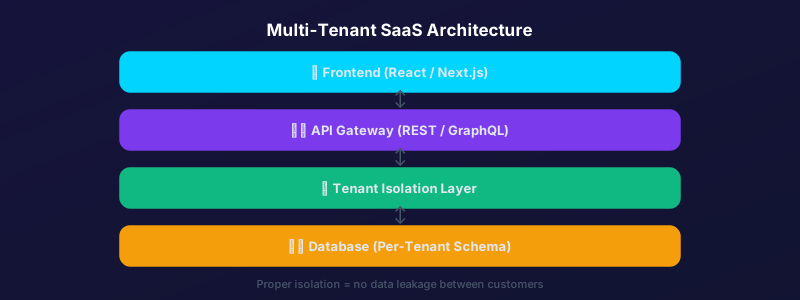
Multi-tenancy — the ability for a single instance of your software to serve multiple customers, with each customer's data fully isolated from the others — is the defining characteristic of SaaS architecture. Getting it right from the start is critical. Retrofitting multi-tenancy into an application that was not designed for it is one of the most painful engineering projects a team can undertake.

The Three Tenancy Models

There are three common approaches: shared database with a tenant identifier column (simplest, lowest cost, some isolation risk), separate schemas within a shared database (good balance of isolation and cost), and separate databases per tenant (maximum isolation, highest cost, usually only justified for enterprise customers with strict compliance requirements). Most SaaS products start with the shared database model and move to separate schemas as they scale.

What Tenant Isolation Actually Means

Isolation means Tenant A can never see, access, or accidentally receive data belonging to Tenant B. This needs to be enforced at every layer: the database query level, the API level, and the frontend rendering level. A single missing tenant_id filter in a database query is a data breach waiting to happen.

Log in to rate this article

E-Commerce in 2025: What Your Online Store Needs to Compete

E-Commerce in 2025: What Your Online Store Needs to Compete

Consumer expectations for online shopping experiences have never been higher. Here is what the best-performing e-commerce sites are doing that the average ones are not.

The bar for e-commerce experiences has risen dramatically. Customers who shop on Amazon, Apple, and Shopify-powered stores every day bring those expectations with them when they visit your store. Meeting those expectations is not optional if you want to compete.

Speed Is Table Stakes

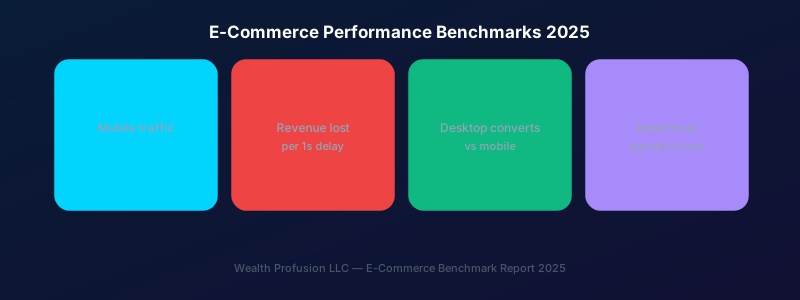
A one-second delay in page load time reduces conversions by approximately 7%. For an e-commerce store generating $100,000/month, that is $7,000 per second of delay. Page speed is not a technical nicety — it is a revenue driver. Core Web Vitals scores should be green across the board before you spend a single dollar on advertising.

Mobile Checkout Must Be Frictionless

Over 70% of e-commerce traffic is now mobile, but desktop still converts at roughly double the rate. That gap exists because most mobile checkout experiences are terrible. Reduce the number of form fields, integrate Apple Pay and Google Pay, and test your checkout flow on an actual phone with an actual thumb.

Trust Signals Are Non-Negotiable

First-time visitors to your store have never heard of you. They need to see trust signals before they will enter their card details. This means SSL (visible padlock), recognizable payment logos, a clear return policy, real customer reviews with photos, and a physical address and phone number. Every one of these reduces purchase anxiety.

Log in to rate this article

The Real Cost of Manual Processes: Why Automation Pays for Itself

The Real Cost of Manual Processes: Why Automation Pays for Itself

Most growing businesses underestimate how much manual work is costing them. When you add up staff hours, error rates, and opportunity cost, the ROI on business process automation is almost always compelling.

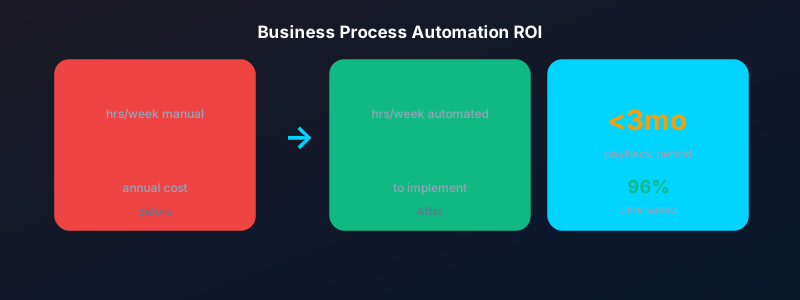
A client came to us last year spending 14 staff hours per week manually copying data between their CRM, their accounting software, and their project management tool. At $25/hour fully loaded, that is $18,200 per year — just in labor cost — for a task that took us three weeks to automate completely.

Calculating the True Cost

Manual processes have three categories of cost that most businesses never add up: direct labor cost (staff time spent on the task), error cost (the downstream time and expense of fixing mistakes made during manual entry), and opportunity cost (what that staff member could have been doing instead). When you total all three, even simple automations typically pay back their implementation cost within three to six months.

Where Automation Has the Highest ROI

The highest-value automation targets are processes that are: high-frequency (done daily or weekly), rule-based (the same steps every time), and prone to human error (data entry, calculations, routing). Common examples include invoice generation, report distribution, lead routing, onboarding workflows, and inventory alerts.

Getting Started Without Disrupting Operations

The best approach is to start with one process, automate it completely, measure the results, and then move to the next. Do not try to automate everything at once. A phased rollout lets your team adapt gradually and builds internal confidence in the technology.

Log in to rate this article

Showing posts 11–15 of 18